
Best IPTV for Apple TV in Canada
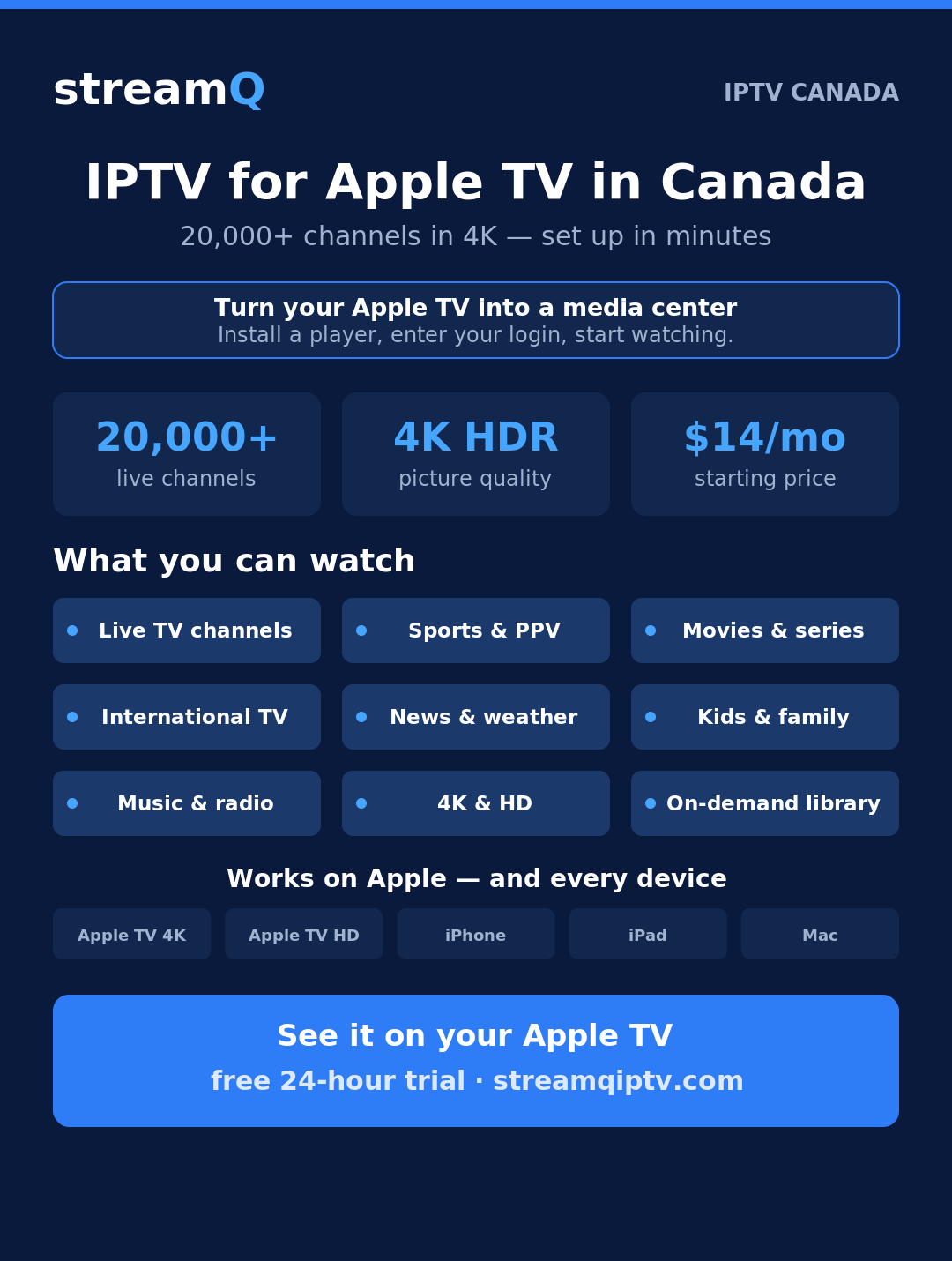
Want the best IPTV for Apple TV in Canada? StreamQ turns your Apple TV into a 20,000+ channel media center — live TV, sports, movies and international channels in crisp 4K, set up in about five minutes, from $14/month. Start a free 24-hour trial and watch it on your Apple TV the same evening.
Pricing Plans
With our competitively priced plans, you can access high-quality IPTV service and enjoy your favorite channels from anywhere in the world, all without the need for cable.
24 hr Trial
FREE
- Instant Delivery!
- Anti-Freeze Technology™
- HD & 4K Image Quality
- 24/7 Customer Support
- All Top Sports Channels & PPV
- Adult Movies With Parental Control
- +20,000 Channels & TV Guide (EPG)
- VOD films & series Multilangues + Netflix
1 Month
$14
- Instant Delivery!
- Anti-Freeze Technology™
- HD & 4K Image Quality
- 24/7 Customer Support
- All Top Sports Channels & PPV
- Adult Movies With Parental Control
- +20,000 Channels & TV Guide (EPG)
- VOD films & series Multilangues + Netflix
3 Months
$39
- Instant Delivery!
- Anti-Freeze Technology™
- HD & 4K Image Quality
- 24/7 Customer Support
- All Top Sports Channels & PPV
- Adult Movies With Parental Control
- +20,000 Channels & TV Guide (EPG)
- VOD films & series Multilangues + Netflix
6 Months
$72
- Instant Delivery!
- Anti-Freeze Technology™
- HD & 4K Image Quality
- 24/7 Customer Support
- All Top Sports Channels & PPV
- Adult Movies With Parental Control
- +20,000 Channels & TV Guide (EPG)
- VOD films & series Multilangues + Netflix
12 Months
$132
- Instant Delivery!
- Anti-Freeze Technology™
- HD & 4K Image Quality
- 24/7 Customer Support
- All Top Sports Channels & PPV
- Adult Movies With Parental Control
- +20,000 Channels & TV Guide (EPG)
- VOD films & series Multilangues + Netflix
RESELLER
$325 - $4500
- Instant Delivery!
- Anti-Freeze Technology™
- HD & 4K Image Quality
- 24/7 Customer Support
- All Top Sports Channels & PPV
- Adult Movies With Parental Control
- +20,000 Channels & TV Guide (EPG)
- VOD films & series Multilangues + Netflix
Why Apple TV is a great box for IPTV
Apple TV is one of the best devices for IPTV in Canada. The Apple TV 4K pushes a sharp, stable 4K HDR picture, the interface is fast and clutter-free, and the App Store has several excellent IPTV player apps. Add AirPlay from your iPhone or iPad and you have a living-room setup that just works.
StreamQ runs beautifully on it — 20,000+ live channels plus a huge on-demand library, all on one subscription, with anti-freeze technology that keeps streams smooth during peak hours on Bell, Rogers, Telus and every major Canadian ISP.
What you can watch on Apple TV with StreamQ
With StreamQ on your Apple TV, the whole household is covered — without the cable contract:
- Live TV channels — Canadian, US, UK and international
- Sports and PPV events in HD and 4K
- Movies and series on demand
- International and multilingual channels
- News, kids and music
- Thousands of on-demand titles
The full lineup changes all the time, so we keep it behind the trial: start a free 24-hour trial and browse everything on your Apple TV before you pay. Prefer to see it first? Check our channel list page.
How to set up StreamQ on Apple TV
Setup takes about five minutes:
- Start your free 24-hour trial — your login arrives by email within minutes.
- On your Apple TV, open the App Store and install an IPTV player app (IPTV Smarters Pro, GSE Smart IPTV or similar).
- Open the app, enter the StreamQ login from your email, and the channel guide loads.
Full step-by-step instructions are in our Apple devices setup guide. Not on Apple? StreamQ also runs on Firestick and Android.
How to get started
Getting started is simple. Start a free 24-hour trial or pick the plan that fits — monthly, quarterly, semi-annual or yearly. Plans start at just $14 CAD per month, and the 12-month plan works out to about $11/month. You receive your login by email within minutes, install a player on your Apple TV, and start watching the same evening. No contract, cancel anytime. See the full setup hub for every device.
Frequently asked questions
How do I install IPTV on Apple TV?
Install an IPTV player app from the Apple TV App Store (such as IPTV Smarters Pro or GSE Smart IPTV), then enter the StreamQ login you receive by email after starting your free trial. The channel guide loads and you are ready to watch in minutes.
What is the best IPTV player for Apple TV?
Popular Apple TV players include IPTV Smarters Pro and GSE Smart IPTV — both are free on the App Store and work with your StreamQ login. Any Xtream-Codes-compatible player will work. Our Apple devices guide walks through the setup step by step.
Does it work on Apple TV 4K and older models?
Yes — StreamQ works on the Apple TV 4K and Apple TV HD, as well as iPhone, iPad and Mac. On the Apple TV 4K you get the full 4K HDR picture where the channel supports it.
What else can I watch StreamQ on?
Firestick, Android TV and boxes, Samsung and LG Smart TVs, MAG boxes, Windows and Mac — the same subscription works across all of them on every major Canadian ISP.
Is there a free trial?
Yes — try StreamQ free for 24 hours on your Apple TV before choosing a plan.